
October 10, 2026
How to Renew Your B Player Plan
Your B Player plan is prepaid, so it simply ends when its time is up. Renewing is quick, and you can do it from your TV, your phone or the website. This guide shows you how to check how long you have left and the easiest ways to renew.
Quick answer
- On your TV, open Settings → Account and press Renew (or press Renew on the banner near the top of the screen).
- Scan the QR code with your phone. It opens the website's /renew page with your device code already filled in.
- Pick a plan and tap the WhatsApp or live chat button. Your code is sent with your message.
- Pay using the options support shares. Your plan is renewed as soon as payment is confirmed.
How to check your days left
You can see your plan details at any time.
- Open Settings (the gear icon in the top bar).
- Choose Account.
Here you will find:
- Your plan status: Free trial or Active.
- Your expiry date.
- The number of days left.
- Connections in use, for example "1 of 2".
- Your device code.
- A Renew button.
There is also a handy plan chip in the top bar that shows your days left, so you can keep an eye on it while you browse.
The expiry banner
You don't need to remember your expiry date. B Player reminds you.
- When your plan ends in 7 days or less, a banner appears near the top of the screen with a Renew button.
- The banner becomes more urgent at 3 days and 1 day left.
- If your plan has already ended, the banner tells you so, and Renew is still right there.
Renew from your TV with the QR code
This is the easiest way when you are watching on a TV.
- Press Renew on the banner, or go to Settings → Account → Renew.
- A dialog opens with a QR code.
- Scan the QR code with your phone's camera.
- Your phone opens the website's /renew page with your device code already filled in.
- Choose a plan, then tap WhatsApp or live chat. Your code is included in the message automatically.
- Support shares the payment options. As soon as payment is confirmed, your plan is renewed.
Renew on an Android phone or tablet
If you watch B Player on an Android phone or tablet, the Renew dialog also shows a WhatsApp button.
- Tap Renew on the banner or in Settings → Account.
- Tap the WhatsApp button.
- Tell support which plan you would like, then pay using the options they share.
Renew on the website
You can also renew straight from the website's /renew page.
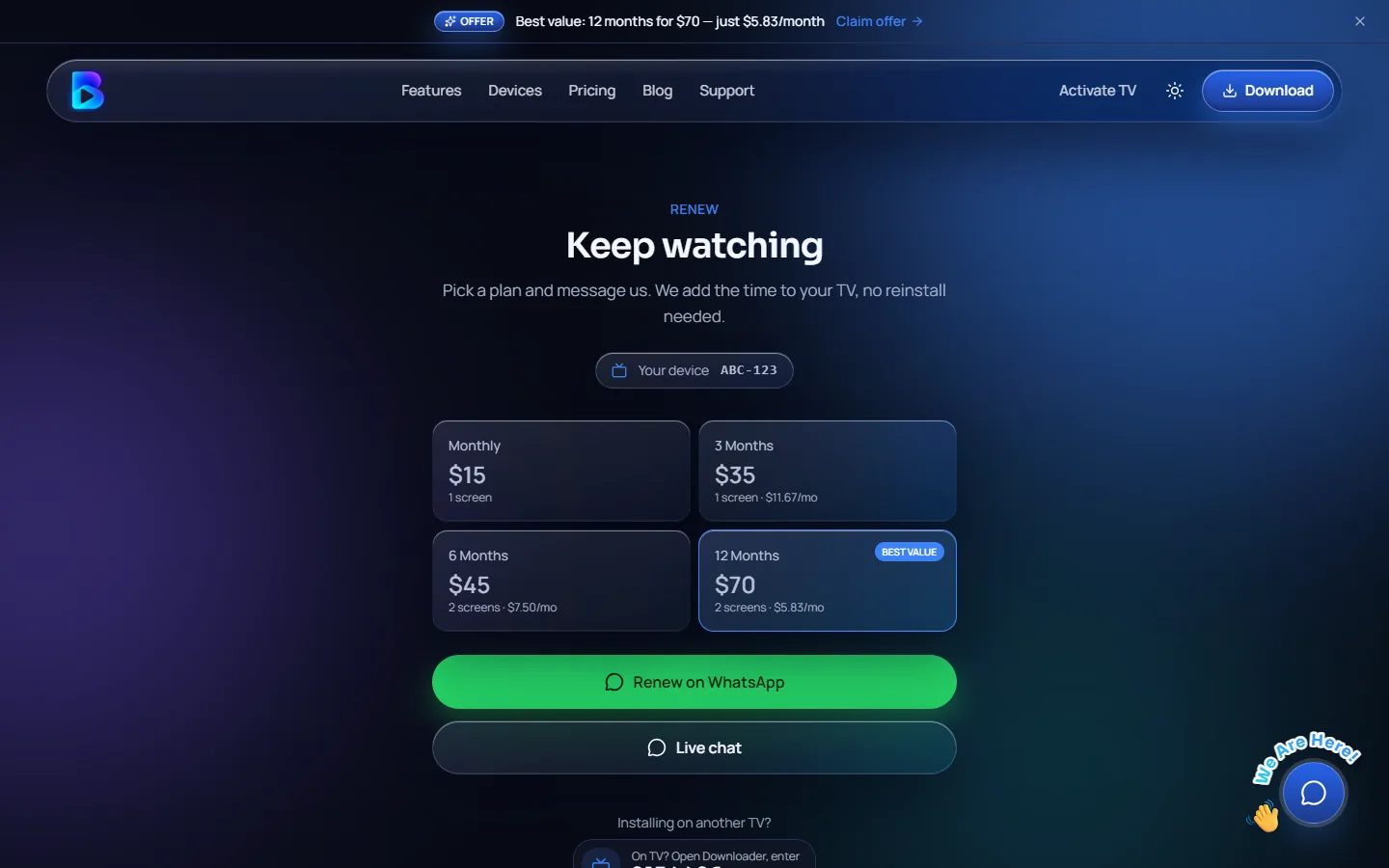
When you open /renew?code=YOURCODE (replacing YOURCODE with your device code), the page shows:
- Your device code.
- Your expiry date.
- The plans you can choose from.
- WhatsApp and live chat buttons that send your code to support.
Opening the page from the QR code on your TV fills in your code for you, so you don't have to type anything.
Choosing your renewal plan
You can renew on the same plan or switch to a different one. Here are the four plans:
| Plan | Price | Per month | Screens at once |
|---|---|---|---|
| Monthly | $15 | $15.00 | 1 |
| 3 Months | $35 | $11.67 | 1 |
| 6 Months | $45 | $7.50 | 2 |
| 12 Months (most popular) | $70 | $5.83 | 2 |
If you check connections in use in Settings → Account and often see all of them taken, a 2-screen plan may suit you better. Remember that a recording also uses one of your screens. All plans are prepaid, with no contract and no hidden fees. See all the details in the plans section.
Renewing early
You don't have to wait until the last day. Renewing early is a good idea if you don't want any break in watching, especially if you have recordings scheduled. Simply follow the same steps above when the banner appears, or at any time from Settings → Account.
After you renew
Once your payment is confirmed, your plan is updated. To double-check:
- Open Settings → Account.
- Look at your new expiry date and days left.
If your plan had already ended and the app is showing your device code, the screen unlocks by itself once your plan is active again. No restart is needed.
Need help?
Message a real person on WhatsApp or live chat, usually answered within a few minutes, or visit /help.